← Releases
Release 2025.6
June brings not only summer, but also new possibilities in TAKTIQ: Our latest release 2025.6 makes your planning even more realistic – and your individual workflows noticeably easier.
The highlights:
- Save Individual Layouts for View and Column Configurations
- Define Starting Positions for Workplaces & Analyze Drift
- Customers with Long Term Support (LTS) will receive these updates with the next LTS release in September 2025.
Start / Operate & Navigate
Save Individual Layouts for View and Column Configurations
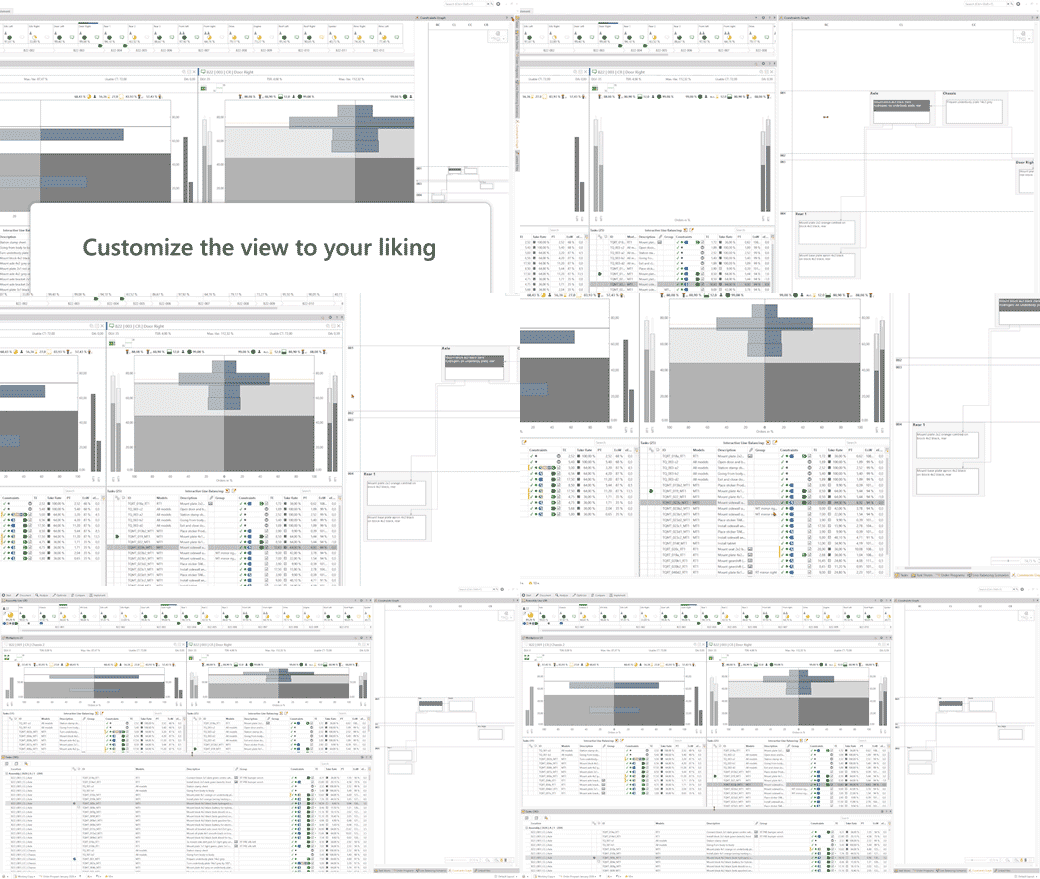
Whether it’s the large task list on your second screen, a centrally placed constraints graph, or a compact assembly line view – in TAKTIQ, you decide how your interface looks. Until now, you could already save and switch between your personalized arrangement of views.
Now it gets even more flexible:
TAKTIQ now saves not only the arrangement of your views, but also their content – such as visible columns, column order, widths, or selected KPIs.
View Arrangement + Content = Your Individual Layout
How it works
- Set up your preferred view and content configuration
- Save it directly as a layout – via the status bar
- Switch between layouts instantly based on your workflow
- Name your layouts individually, e.g. “Bottleneck Focus”, “Line Balancing” or “Constraints Analysis
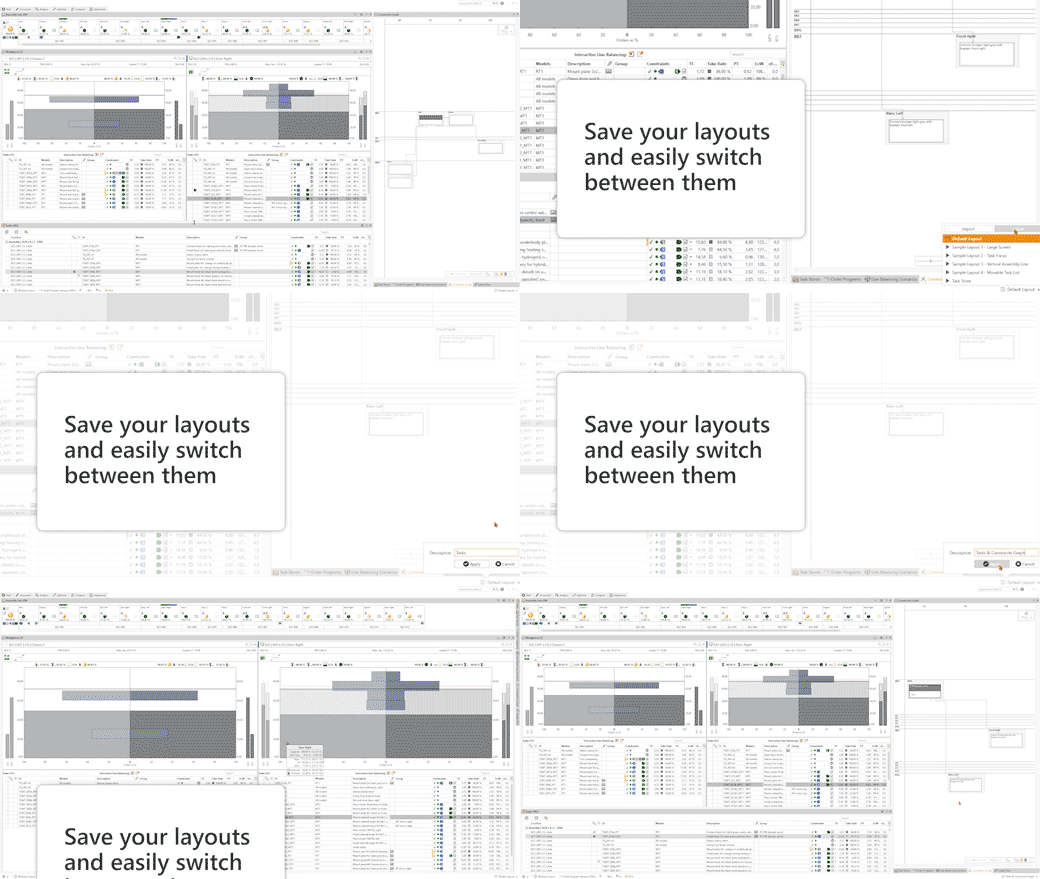
By the way: Layouts can now also be exported and imported – ideal for sharing proven setups with colleagues or maintaining consistency across teams.
Pro tip: Return to the TAKTIQ default layout at any time via the status bar – perfect for getting back to the starting point quickly.
Want to reset only specific elements, such as just the arrangement or just the content of views?
No problem! Use the global view options – located at the top right in the program toolbar.
Try it out now and start building your personal layout library!
Analyze / Drift
Define Starting Positions for Workplaces & Analyze Drift
In real-life assembly processes, a worker’s task doesn’t always start exactly at the station boundary: Sometimes work begins half a station earlier, sometimes with a slight delay.
Now, you can reflect this reality directly in TAKTIQ – with the new option to define individual starting positions per workplace.
Why is this important?
The starting position determines where a worker’s actual working area begins – and has a direct impact on the entire planning process. With the new feature, you can now precisely parameterize the actual working area.
Here’s how it works:
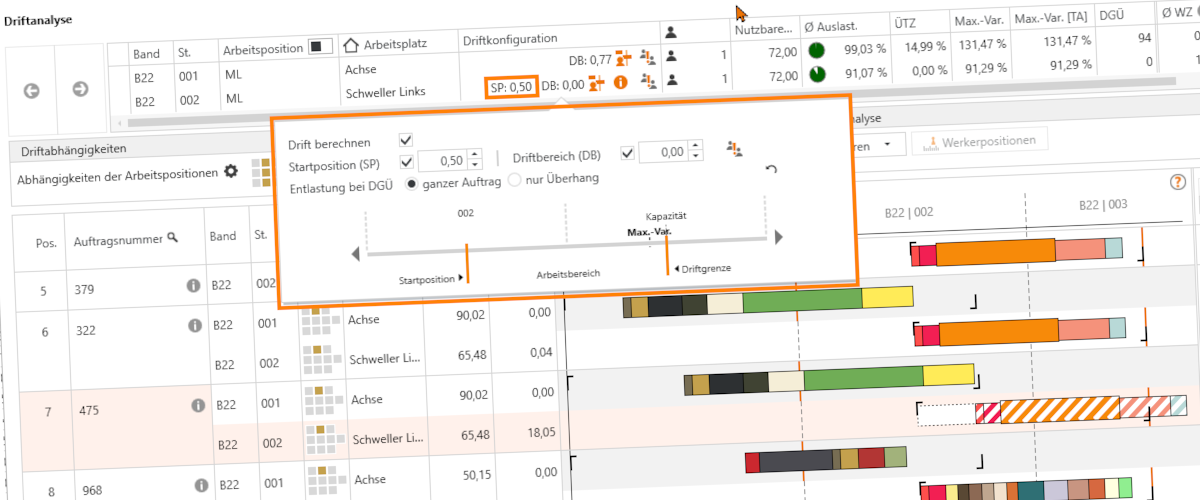
With this new function, you can easily define how far a worker’s effective working area shifts from the physical station boundary:
- If a worker regularly starts half a station earlier, enter “–0.5”
- If they begin half a station later, use “+0.5”
Alternatively, just drag the slider in the flyout to the desired position with a click. The visual representation immediately shows you the impact on the working area.
In combination with the major new feature from the last release – cross-station drift analysis – the benefits of starting positions become even clearer:
You can instantly see how a shifted starting position affects the overall production flow. For example, if a worker frequently starts late, you’ll directly see whether this causes a blockage at the next station and leads to a drift limit violation.
You can edit the starting position wherever you configure drift:
- In the dialog to edit a specific workplace
- Under “Document / Workplaces”
- Or directly within the drift analysis
Try it out now – and bring your planning even closer to real-life operations with just a few clicks!
All TAKTIQ Modules at a Glance
Expand TAKTIQ flexibly with our modules. Customize the solution to your individual production and achieve maximum benefit for your specific requirements.


