← Releases
Release 2026.10
With Release 2026.10, TAKTIQ can hold master data in several languages. International sites work on the same data set, each in its own language. On top of that: faster routes to constraint violations, and an IQ Pilot that answers more reliably because we evaluated your feedback.
Highlights:
- Maintaining master data in multiple languages
- Identifying Constraint Violations in a Targeted Manner
- More Reliable Answers from IQ Pilot
Customers with Long-Term Support (LTS) will receive the new features with the next LTS release in March 2027.
Questions about the release?
Just write to me!

Share post
Documentation / Tasks
Master Data in Multiple Languages
Planning across several sites means working on one shared data set, and until now that also meant working in one shared language. What a task description actually meant was not always clear at every site. With Release 2026.10, TAKTIQ can hold master data in several languages. Editing and analysing both follow the language you have set.
Four fields, multiple languages
The multilingual fields are the task description, the task’s additional info, the description of time analysis lines in MTM, and the description of time blocks. Administrators declare a base language per planning area or project and add further languages centrally. The list offers German, English, Spanish, French, Italian, Hungarian and simplified Chinese.
Display language separate from the software language
Alongside the software language there is now a separate display language for your data. It follows the software language by default but can be set differently. Run the interface in English and still read task descriptions in Spanish.
Reports in the language the recipient needs
For exports you set a report language. It drives the field contents as well as the labels. When exporting assembly instructions and task lists you pick the language in the dialog; all other exports fall back on the stored default.
A typical scenario: a plant abroad takes over a line balancing result from central planning. The task descriptions are added once in the local language; from then on the team on site works in its own language, while central planning sees the same data unchanged in theirs. The assembly instructions reach the line in the local language.
Result: the same planning data, read and maintained in the language of each site. The feature is available to all customers.
Document / Line Balancing Constraints
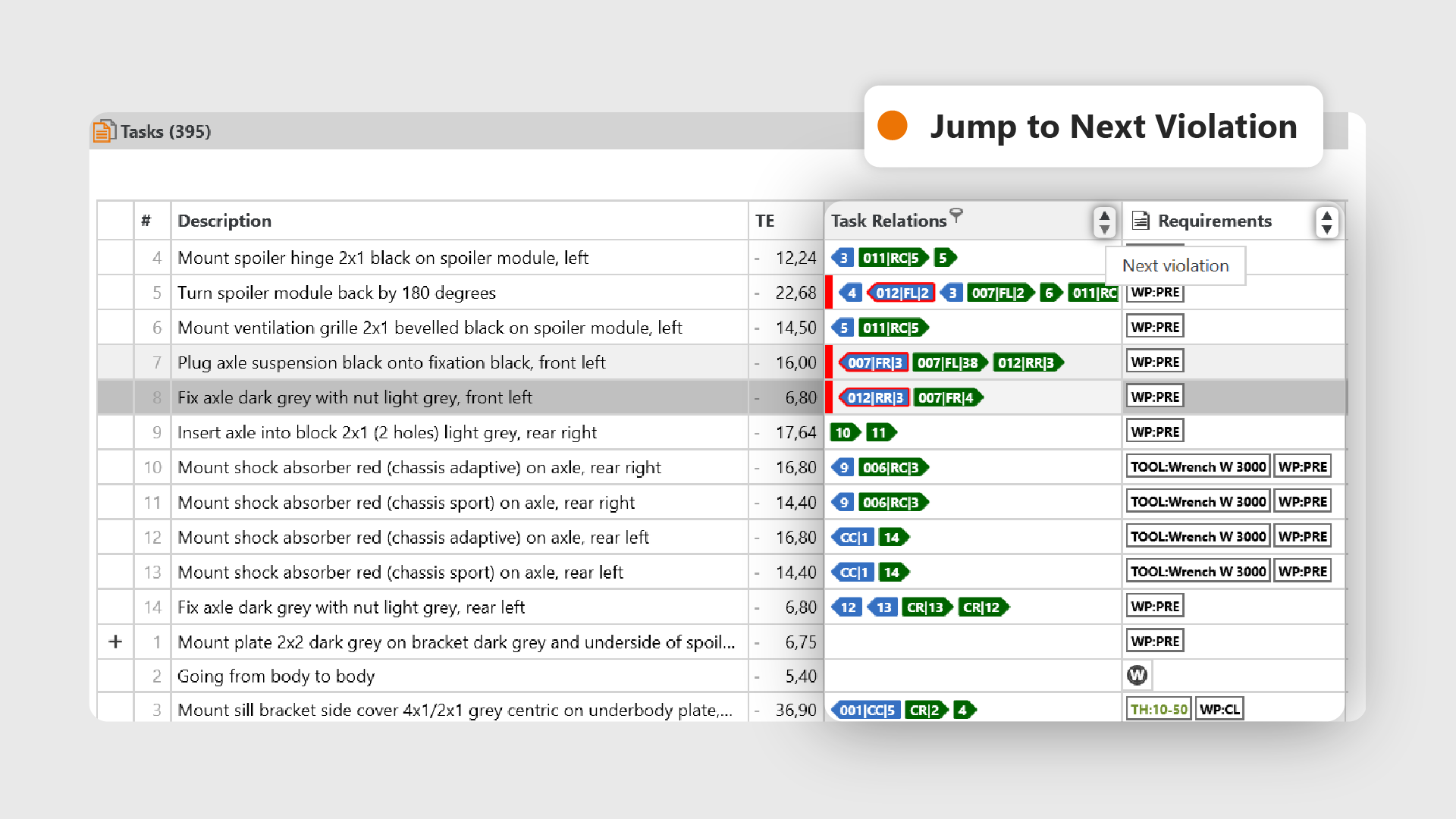
Find constraint violations without switching views
Maintaining constraints is mostly about finding the places where something is wrong. Until now that meant going through the constraint maintenance dialog. Release 2026.10 moves search and correction straight into the main line balancing view.
Jump from violation to violation
In task lists you now move directly between tasks in a given state: constraints not maintained, violated task relations, requirements and single requirements. The jump works in the Grouped View too. If the next hit sits in a collapsed group, the group opens by itself. Cycles now appear directly in the Task Relations column and can be filtered, several at once.
New Filters for Task Relations
The same column now filters for tasks without predecessors, tasks without successors, and missing task references. The latter means relations to tasks that are not present in the loaded area. Several criteria can be combined; they act as an OR.
Edit task relations directly
A context menu on the individual relation jumps to the linked task, copies its Id, or deletes the relation. If several writable scenarios are loaded, you choose which scenario the change applies to.
A Look at Approved Workplaces
Which workplaces are available for a task can now be read directly in line balancing. You set the range yourself, for example to the neighbouring stations.
A typical scenario: a line balancing run will not compute because the precedence relations contain a cycle. You filter the Task Relations column for cycles, step through the tasks involved, and delete the relations that were maintained incorrectly, straight from the context menu.
Result: Analysis and correction happen in the same view.
Start / Help & Support
IQ Pilot: Further Developed Together
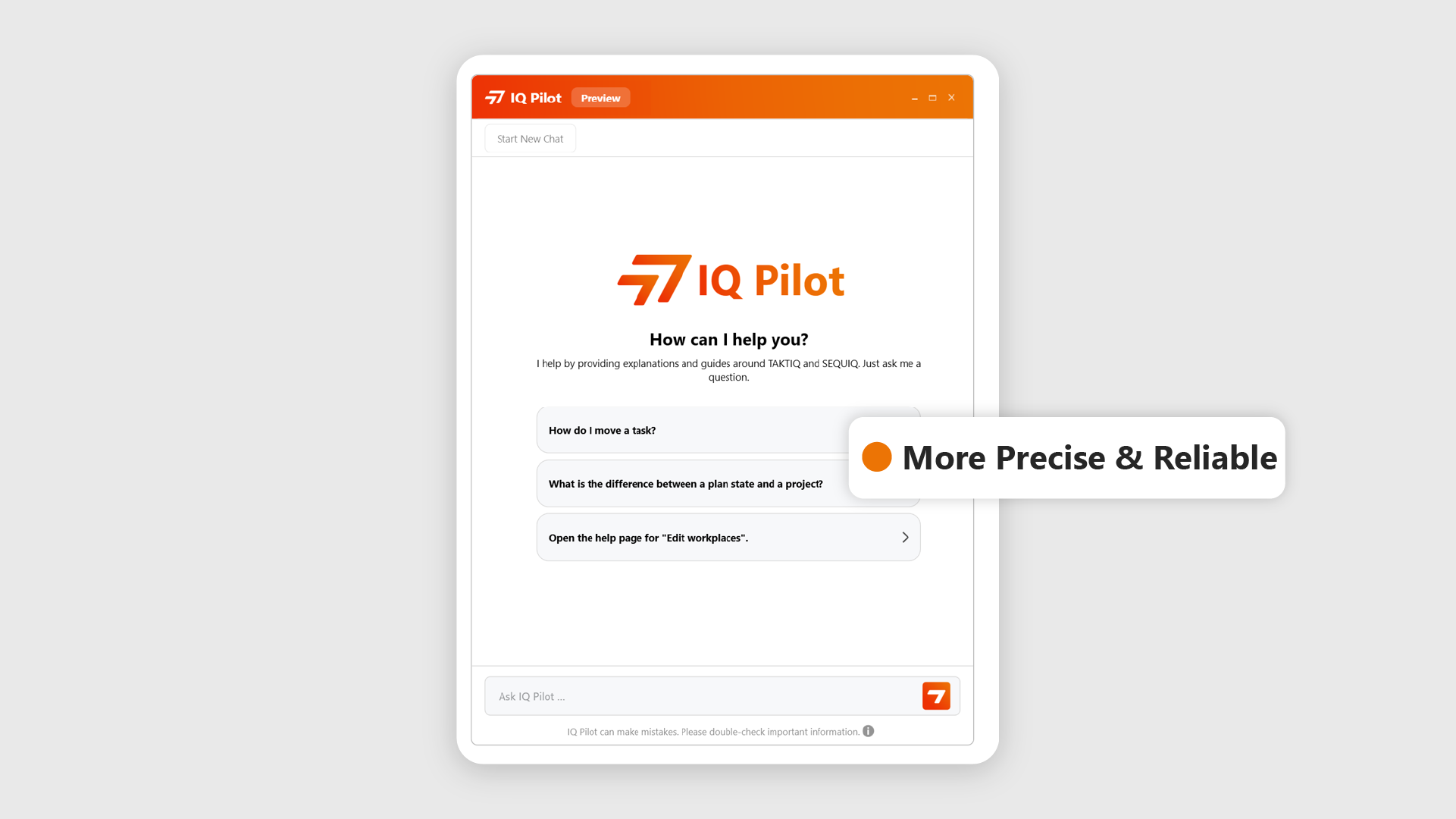
Since its introduction we have been gathering experience from how you use the IQ Pilot in practice, and we feed what we learn straight back into its development. With Release 2026.10, the IQ Pilot takes the next step.
New technology, noticeably better results
Behind the scenes, the IQ Pilot now runs on a new generation of AI technology. The result: more precise answers, a better grasp of what is being asked, and higher reliability overall. The IQ Pilot can now ask back when a question allows for several interpretations, it answers reliably in the language of your question, and it makes it clear when no reliable information is available on a topic. You get the information you need for your daily work faster, directly in TAKTIQ and SEQUIQ.
From everyday work straight into the product
There is more behind this update than new technology: your feedback from daily work made a concrete contribution. The real strength lies not in the AI technology alone, but in the continuous loop of practical experience, further development and fast delivery. At the same time we are already looking ahead: how can the IQ Pilot support you even more precisely in future, for instance on questions about your actual planning data?
Try out the improvements and let us know with a thumbs up or down how the IQ Pilot helps you.
Further Improvements
- REFA Preview Expanded Based on Your Feedback: REFA time studies have been running as a Public Preview since Release 2026.8, and we keep working with the feedback that comes back. New: the clock can be paused during a measurement, you set the order before you start, and steps can be copied together with their measurements. In the client you now edit the measurement tree inline, measurement progress appears as a KPI in the KPI Center, and a new tab puts REFA times next to estimated time, UAS and MODAPTS. REFA time studies are part of the TAKTIQ Time Management Add-On. (Documentation / Time Analyses)
- Distinguish Order Types by Color: In the Order Types dialog, each order type can be given a colour from a fixed palette. It then appears in the Drift Analysis and the Variant Overview, so the order types that matter to you stand out at once. Order types without a colour are still shown in grey, shaded by take rate; an assigned colour always stays at full strength. Set once, the colour applies in every view that shows order types. (Analyze / Orders)
- Create a plan state in a Single Pass: When creating a plan state, selecting the production programs is now followed by two more steps. You pick a rule set, either imported from a file, taken from the source, or taken from the loaded project. You then sequence the production programs right there in the wizard, with the same configuration and the same result dialog as usual. A check mark shows which programs have already been sequenced. (Document / Create Plan State)
- Edit the effort to move with a single click:Effort to move is now set through a popup menu with a single click instead of a drop-down. That makes it behave just like the Constraints Complete column, and it takes fewer clicks. (Documentation / Restrictions)
All TAKTIQ Modules at a Glance
Expand TAKTIQ flexibly with our modules. Customize the solution to your individual production and achieve maximum benefit for your specific requirements.


