← Releases
Release 2025.2
We hope you had a fantastic start to 2025 and were able to fully enjoy the holiday season!
To kick off the new year, we’re excited to introduce TAKTIQ Version 2025.2, featuring exciting improvements in time analyses and order scheduling.
The highlights:
- Easy Management of Time Analyses with Data Cards
- Proactive and Efficient Order Scheduling with TAKTIQ Scheduling

Document / Time Analyses
Easy Management of Time Analyses with Data Cards
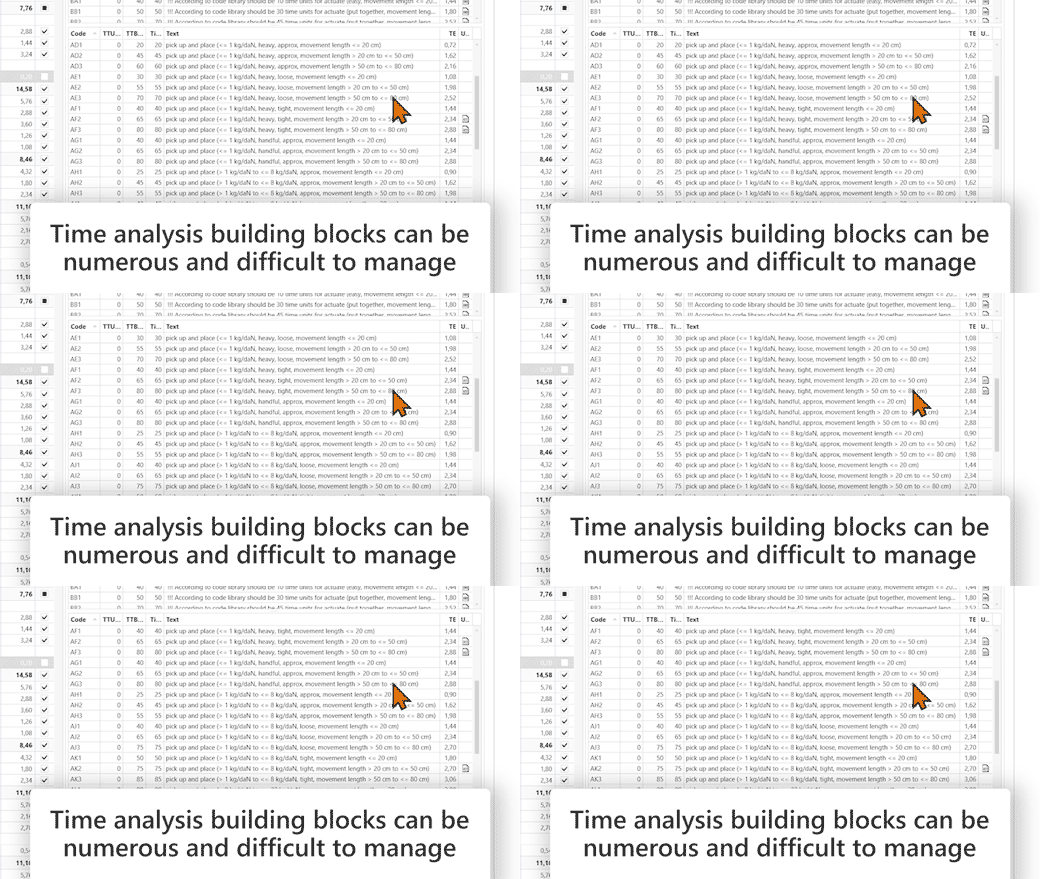
Time analysis building blocks can quickly become numerous and difficult to manage, depending on the building block system. To help you keep an overview when documenting your time analyses, even with many building blocks, we have an exciting new feature for you: From now on, you can use data cards in TAKTIQ!
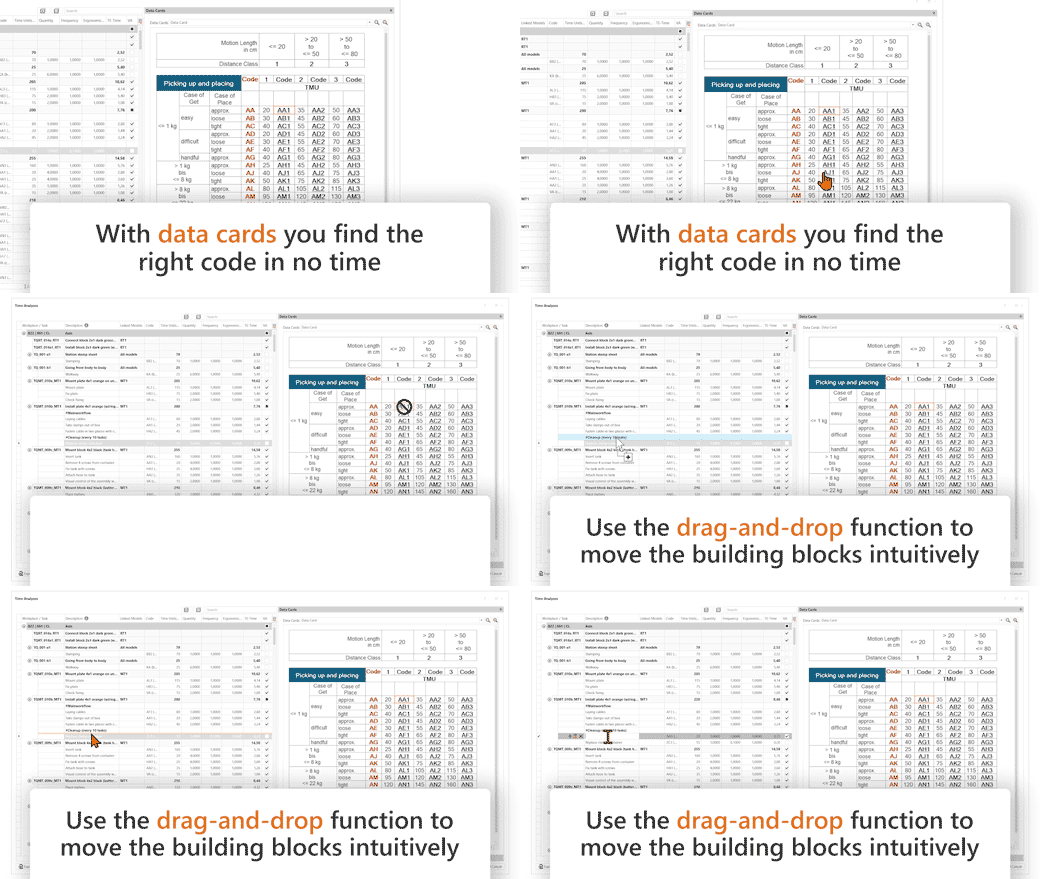
Data cards provide a clear and hierarchical representation of your time analysis building blocks, allowing you to find the right code in no time!
With the drag-and-drop function, you can simply drag the desired building block directly into the corresponding time analysis row.
Setting up is just as easy: Under “Options,” simply specify the storage path where your data cards are saved. TAKTIQ automatically detects Excel files in *.xls or *.xlsx format. The only important requirement is that the codes in the data card are underlined so they can be recognized correctly.
Even easier: Use the integrated standard MTM data cards! They are already available in TAKTIQ and ready to use.
Try it out today!
Optimize / Order Sequence II (automatic)
Proactive and Efficient Order Scheduling with TAKTIQ Scheduling
Delivery times, customer commitments, available employees – the variety of scheduling requirements makes order planning a real challenge.
But complex doesn’t have to mean complicated! Over the past months, we have further developed the TAKTIQ Scheduling and are proud to offer you a comprehensive solution for on-time order planning.
Here’s how your workflow with TAKTIQ Scheduling could look:
- Load Orders
Load orders directly from the TAKTIQ order backlog. Thanks to the clear calendar view, you can easily select the desired time frame for scheduling. Our multi-user support ensures seamless collaboration with your colleagues! - Order Scheduling
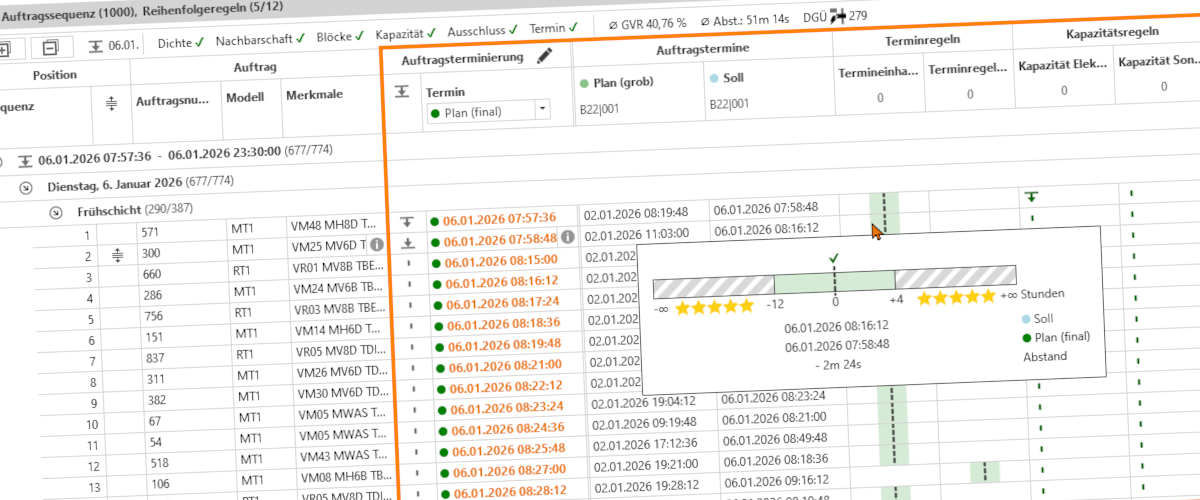
TAKTIQ automatically calculates when orders are produced – based on the documented shift models maintained in your plant calendar. Order dates and status are clearly displayed for each order. - Define Sequencing Rules
In TAKTIQ, you can easily configure both standard and complex scheduling rules to maintain a stable production flow:- Deadline rules: Specify precise deadlines for your orders and control deviations to stay as close as possible to your target dates.
- Capacity rules: Define upper and lower limits for the production of specific order variants – flexibly adjustable for specific periods, shifts, or days.
- Automatic Sequencing
Let TAKTIQ do the work for you: The automatic sequencing ensures that your sequencing rules are followed as efficiently as possible! - Save Order Planning
Once finalized, simply save your planning to the TAKTIQ order backlog. The up-to-date planning status is always accessible and can be adjusted as needed.
Sounds simple? That’s because it is!
With TAKTIQ Scheduling, you’ll meet deadlines with ease while planning ahead efficiently and confidently.
Let’s optimize your order scheduling together – we’d be happy to assist you!
All TAKTIQ Modules at a Glance
Expand TAKTIQ flexibly with our modules. Customize the solution to your individual production and achieve maximum benefit for your specific requirements.


