← Releases
Release 2026.4
The 2026.4 release brings improvements for daily documentation and analysis. New functions provide a better overview, fewer context switches and precise documentation – making planning, scheduling and decision-making even more efficient. From now on, you will also see an overview of the most important new features in a release directly when you start the software.
Highlights:
- Edit Constraints Directly in Task Lists
- Clear Orientation Thanks to New Task Index
- MODAPTS Analyses in the Time Management Add-On
Customers with Long Term Support (LTS) will receive the new features with the next LTS release in September 2026.
Document / Line Balancing Constraints
Edit Assembly Constraints Directly: Correct Quickly Without Leaving the Workflow
See Constraints where you work
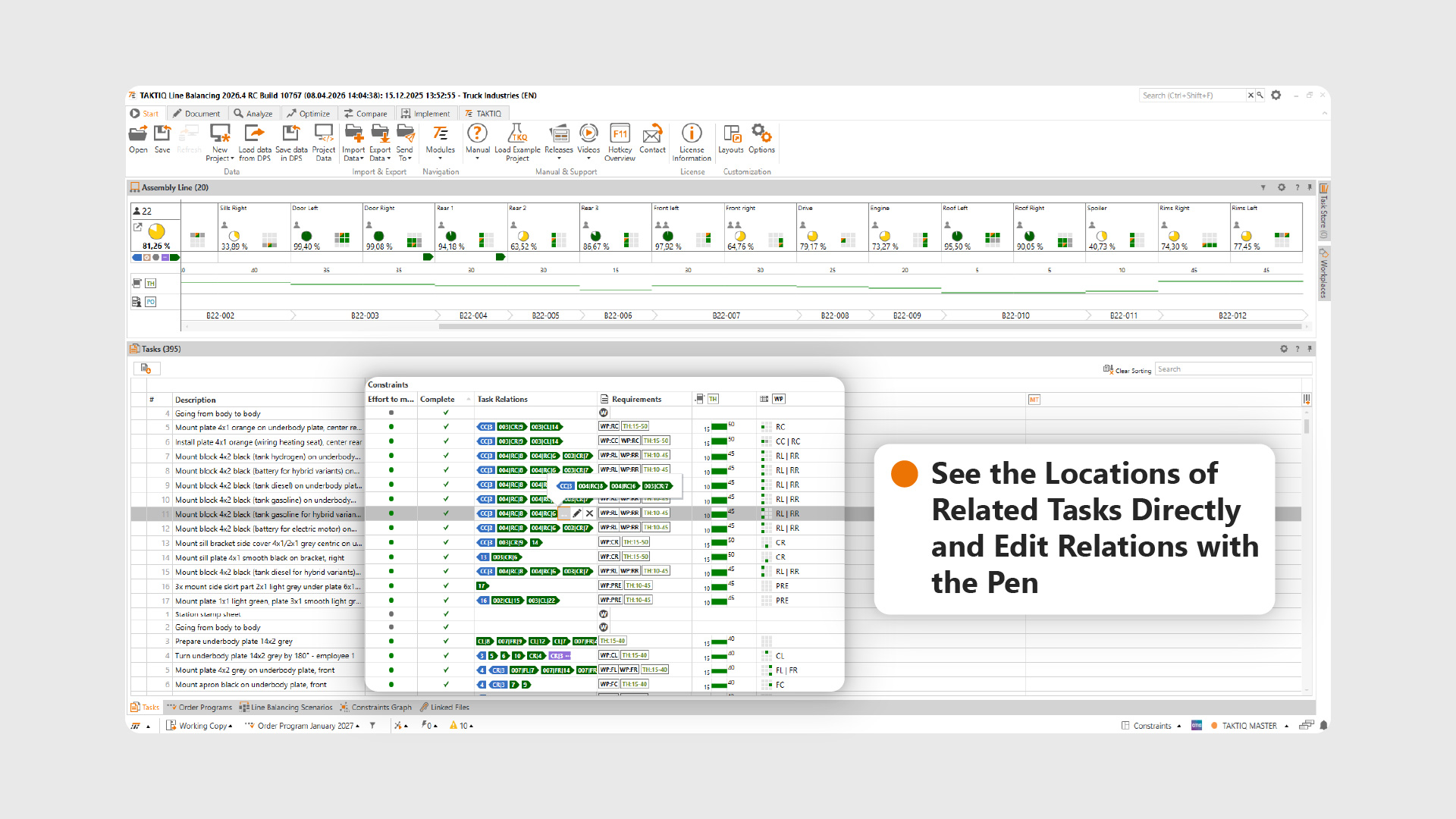
Release 2026.4 puts assembly constraints exactly where they are needed in everyday life: directly in the task lists. Whether in the opened workplace, in the tasks view or in the task store view – constraints can now be viewed and edited directly where the line balancing and analysis takes place.
The new, freely configurable Constraints band, which contains columns for all constraints types , is available for this purpose. The new band can be displayed in a targeted manner – either completely or only with individual relevant columns. This means that users always see exactly the information they need in the respective situation without losing the overview.
How to edit?
Editing is carried out directly in the list: by clicking on the pencil icon, you can efficiently document Effort To Move, Requirements, Groups or Task Relationships. This saves valuable time, especially when making small corrections – for example, if it becomes apparent during line balancing that a constraint is missing or needs to be adjusted. When changes are made, the system asks in which scenarios the adjustment should be saved. This ensures that the database remains clean and traceable, even with multiple scenarios.
The Added Value in Everyday Life
Another advantage: constraints are no longer a separate documentation step. Documentation is increasingly merging with line balancing – in a familiar interface and without switching between software modules. This reduces errors, speeds up coordination and ensures that constraints are always kept in view throughout the entire planning process. Try it out – this innovation unfolds its full potential, especially in the ongoing line balancing process.
Document / Workplaces
Task Index: Clear Orientation in Complex Workplaces
Clear Orientation – Even with Many Tasks
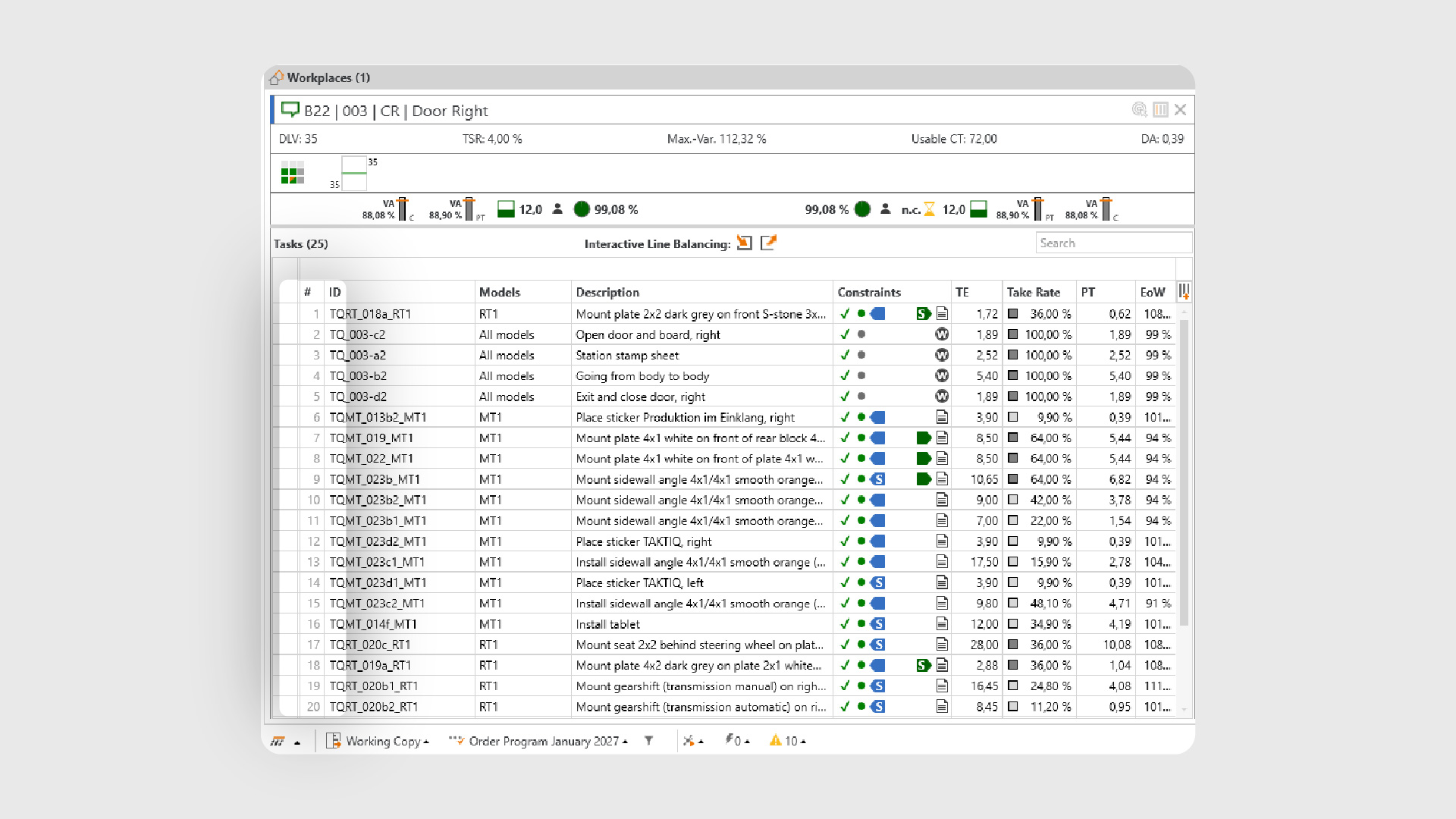
The more complex a workplace is structured, the more important it is to find your way around quickly. With the new task index, TAKTIQ provides a simple but extremely effective anchor point in all task lists.
The task index is available as a new column in all relevant views – at the workplace, in the tasks view and in the task store view. It clearly shows the position of an operation in the actual execution sequence at all times. This makes it clear at a glance which task of a workplace is currently being viewed.
Understand deviations directly
This information is particularly helpful for sorted or filtered views. As soon as the display no longer corresponds to the execution sequence, this is immediately visible thanks to the index. This prevents misunderstandings and makes coordination easier – for example when analyzing workplaces together with collegues.
The task index also shows its strengths when documenting and analyzing precedence relationships. In the task relationships column, referenced tasks are also displayed with their index. This makes it immediately apparent whether a relationship refers to an operation before or after it, without having to search or switch.
More Overview at Every Planning Step
The result: more overview, fewer mental detours and significantly faster orientation – especially for extensive workplaces with many tasks.
Document / Time Analyses
Document MODAPTS Time Analyses in TAKTIQ
Precise Times as a Reliable Basis for Planning
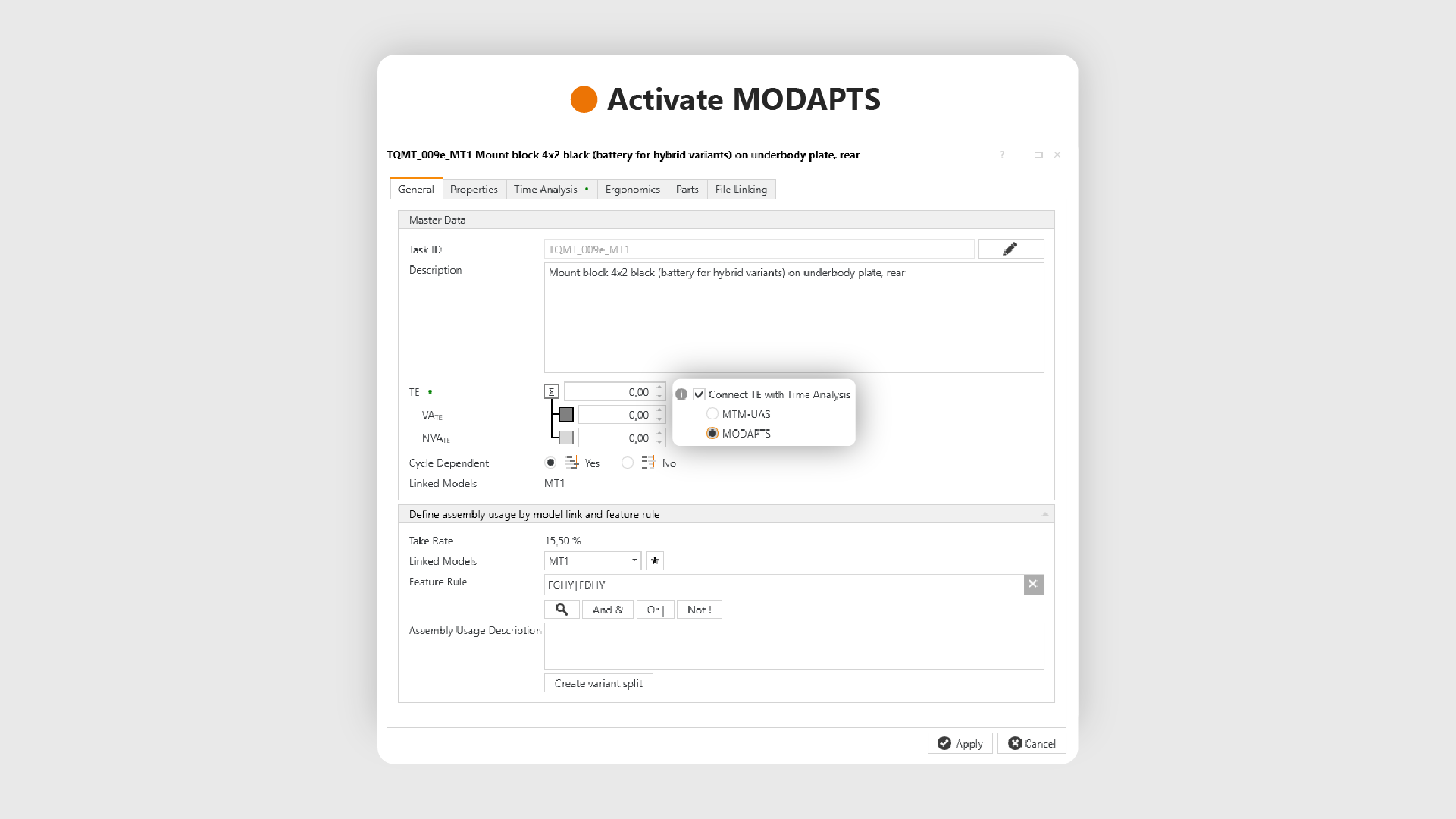
Time analyses are a central component of reliable planning. TAKTIQ already supports the detailed determination and documentation of execution times with the Time Management Add-On. With Release 2026.4, this range of functions is now being expanded to include support for the MODAPTS method .
How Do You Benefit from the MODAPTS Integration?
Users can now use MODAPTS time analyses throughout TAKTIQ – from importing existing analyses to exporting and manually documenting the analysis at task level. The familiar functional scope of the time analyses is retained, supplemented by the new method. This allows execution times to be precisely recorded and documented without having to resort to external tools.
Flexible use – exactly according to your needs
Important: The available time analysis methods can be activated individually . This means that TAKTIQ can be used flexibly – regardless of whether MODAPTS is to be used permanently or initially tested. Contact us if you are interested in activating it!
Further Improvements
- Saving and Loading Configurations for the Line Balancing Report: Report configurations can now be saved to files and loaded again. This means that regularly used reports can be quickly reused or shared with colleagues – without having to manually do the configuration again.
(Analyze / Workplaces) - Extended Model Names in the Line Balancing Report: Models are now also displayed with their long descriptions in the line balancing report. The description appears in brackets after the model name. This makes it easier to interpret the report and ensures greater clarity, especially for evaluations with several similar models.
(Analyze / Workplaces) - Variant Overview Shows Percentage Values in the Tooltip: The variant share of the cycle time is also displayed as a percentage value which makes it easier to quickly classify the variants.
(Analyze / Workplaces) - Show Drift Limit When Comparing Line Balancing Scenarios: When comparing scenarios, the drift limit can now optionally be displayed as a separate column. It is displayed next to the max variant and provides a clear reference point for evaluating the scenarios – especially for recognizing how close variants are to the drift limit.
(Compare / Workplaces) - Mandatory Fields Clearly Marked in Standard Import Formats: In all standard Excel import templates, it is now directly apparent which fields are mandatory. This avoids import errors and speeds up the entry process – especially for recurring data imports.
(Document / Import Data)
All TAKTIQ Modules at a Glance
Expand TAKTIQ flexibly with our modules. Customize the solution to your individual production and achieve maximum benefit for your specific requirements.


